.svg)

 Written by
Multi-location healthcare SEO helps healthcare networks improve the online visibility of every clinic, hospital, and provider, so patients can find the nearest facility, see accurate details, and book. The challenge is not just attracting traffic. It is making sure the right patient reaches the right location and that every inquiry gets handled.
Unlike a single-clinic practice, a healthcare network has to manage multiple locations, services, doctors, Google Business Profiles, and patient touchpoints. Each location may serve a different community, offer different treatments, and compete with different healthcare providers. A strategy that works for one clinic may not deliver the same results across the entire network.
This guide covers seven steps and a 90-day plan to build a stronger local search presence, manage patient inquiries, and turn online visibility into more appointment opportunities across your healthcare locations.
What Is Multi-Location Healthcare SEO (and Why Single-Clinic SEO Breaks at Scale)?
A network competes in many local markets at once, each with its own rivals, search results, and patient behavior. That is why healthcare groups need a dedicated strategy rather than one shared campaign.
Multi-location healthcare SEO defined
It is a coordinated strategy covering your website, location pages, Google Business Profiles, listings, reviews, content, and inquiry handling, so each clinic ranks for its own services and area.
How it differs from traditional local SEO
-
Scale of entities: dozens of clinics, departments, and doctors to manage, not one business.
-
Data governance: one approved record feeding every page and listing.
-
Templates: location pages built on a repeatable structure with unique local content.
-
Location-level reporting: performance tracked per clinic, not as a network average.
-
Compliance: patient privacy rules apply to reviews, testimonials, and call handling.
Why One Homepage or One Google Business Profile Can’t Serve a Hospital Group
Google's local results are decided by three factors: relevance, distance, and prominence. Google's own guidance confirms this. In plain terms, relevance is how well a profile matches what the patient searched for, distance is how close the location is to them, and prominence is how well-known the business is, based on reviews, ratings, and links from other websites.
For a hospital group with many sites, relying on one homepage or one profile means every clinic competes on the same weak signals. A patient searching "pediatrician near me" may never see the clinic ten minutes from their home. The problem gets worse with every clinic you add.
-
A single profile only ranks near its own address. If your main profile sits at your flagship hospital, a patient searching “urgent care near me” from another part of the city will see a closer competitor instead.
-
A homepage can’t match every search. One page cannot answer “cardiologist in Plano” and “cardiologist in Frisco” at the same time. Each clinic needs its own page with its own address, doctors, and services.
-
Patients land in the wrong place. Someone who clicks through to a generic homepage must hunt for their nearest clinic, check which one offers the service they need, and find the right phone number. Many leave instead.
-
Phone calls reach the wrong team. One number for the whole group sends patients through a central desk or an automated menu, which delays bookings and makes calls hard to attribute to a location.
-
Leadership can’t see what’s working. With one page and one profile, you can’t tell which clinic is attracting patients and which is losing them to competitors.
-
Service and doctor searches go unanswered. Patients searching “pediatric dentist in [suburb]” or “Dr. Lee cardiologist” need pages tied to that clinic, not a network overview.
Professional multi-location healthcare digital marketing services fix this by giving every clinic its own location page, verified Google Business Profile, tracked phone number, and performance report, so each site can compete in its own local market.
How Patients Search for Healthcare Across Locations
Patients rarely search the way your org chart is built. They search by what they need, who they want to see, and where they are. Your site should have a page for each of these intents.
The Four Query Types to Cover
-
Treatment-based: “knee replacement surgery cost” belongs on service pages.
-
Specialty-based: “orthopedic clinic open Saturday” belongs on specialty pages that link to each location.
-
Doctor-based: “Dr. Sarah Lee cardiologist” belongs on provider pages tied to a specific clinic.
-
Location-based: “urgent care near me” belongs on location pages and Google Business Profiles.
Benefits of Healthcare SEO for Patient Engagement
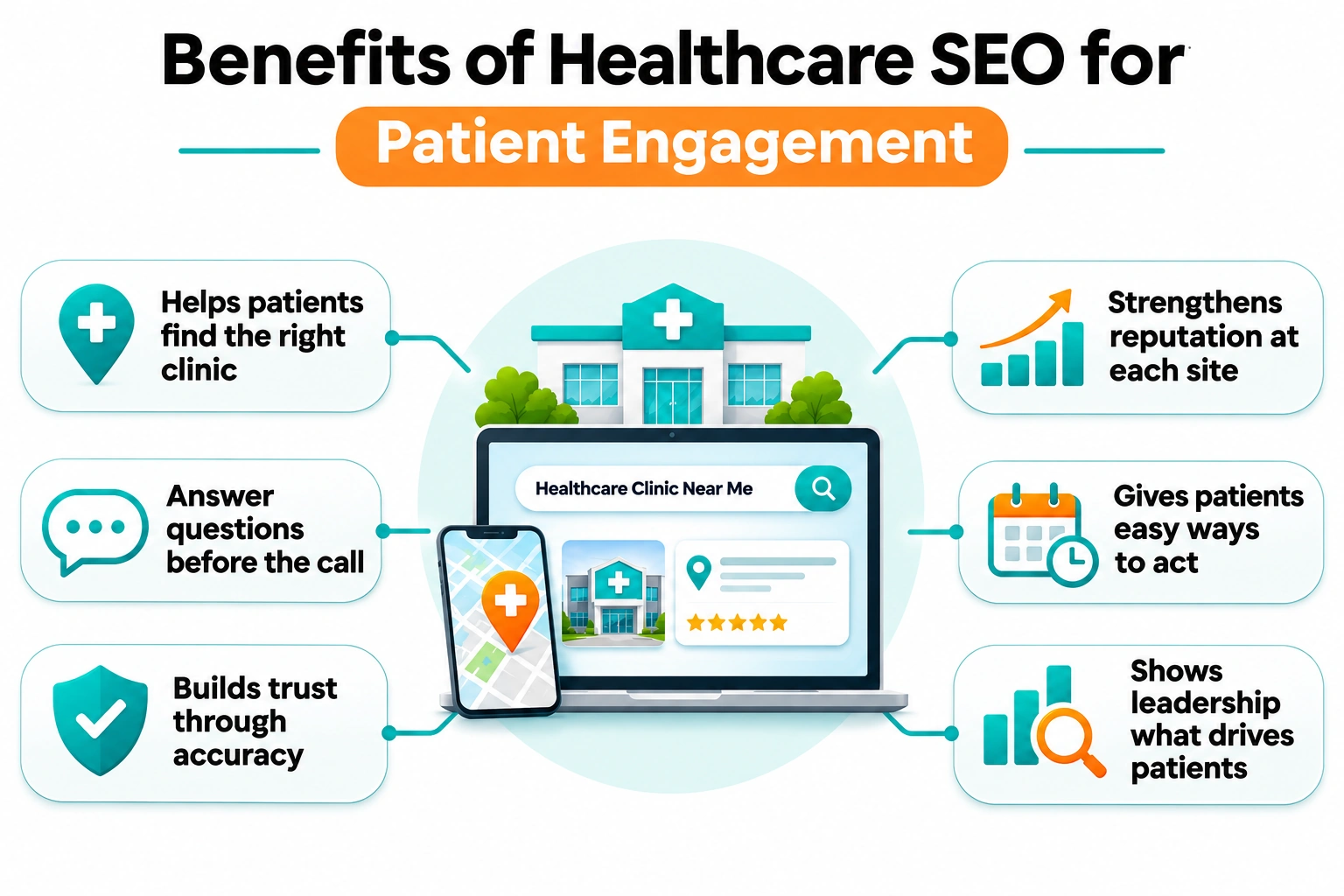
The benefits of healthcare SEO for patient engagement go well beyond traffic. They start with being present at the moment patients compare their options. Data shows that the average patient compares 21 provider profiles before booking, so a clinic that doesn’t appear, or appears with weak information, is dropped early. Reviews matter just as much. Another report also found that 75% of patients refuse to book with a provider rated below 4.0 stars, and 55% have avoided or cancelled an appointment because of online reviews. Here is what a well-run multi-location SEO program does for engagement:
-
Helps patients find the right clinic. A parent searching “pediatrician open Saturday near me” lands on the nearest clinic’s page, not a generic network homepage.
-
Answer questions before the call. Insurance accepted, parking, doctor profiles, and same-day availability are visible on the page, so patients arrive informed and ready to book.
-
Builds trust through accuracy. Correct hours, real clinic photos, and consistent phone numbers show reliability, while one wrong detail can send a patient to a competitor.
-
Strengthens reputation at each site. Steady, compliant review requests and professional replies keep every clinic above the 4.0-star line patients look for.
-
Gives patients easy ways to act. Tap-to-call buttons, booking links, and directions turn interest into an appointment on the same visit.
-
Shows leadership what drives patients. Location-level data reveals which clinics, services and doctors attract engagement and which need support.
Visibility without accuracy and reputation does not convert. The goal is not just to rank. It is to make every clinic easy to find, trustworthy at a glance, and ready to turn a search into a booked appointment.
The seven steps below show how to build that, from your data foundation through to inquiry handling and measurement.
Step 1: Build One Source of Truth and Keep NAP Consistent
NAP means name, address, and phone number. When these differ across your website, Google profiles, and directories, search engines lose confidence and patients call the wrong number.
Inventory Every Clinic, Department, and Practitioner
List every site, service line, and doctor, including closed, merged, or relocated clinics that still have live listings.
Create One Master Record
Keep one spreadsheet or database holding each clinic’s legal name, address, phone, hours, specialties, insurance, and providers. Every page and listing pulls from it.
Assign Ownership
Name one owner per clinic and one central owner for the network. What I’ve seen repeatedly is that unowned profiles are the ones that go out of date.
Step 2: Structure Your Website: Best Healthcare Website Design for Multi-Location Practices
The best healthcare website design for multi-location practices lets patients reach their clinic in two clicks and lets search engines understand how locations relate.
Hub, Region, and Location Hierarchy
Organize as a network hub, then a region, then an individual clinic.
Simple, Predictable URLs
Use patterns like /locations/city/clinic-name, and avoid parameters or URL changes after renames.
Link Services, Locations, and Providers Both Ways
Each service page links to the clinics offering it. Each clinic page links back to its services and doctors.
Make the Locator Crawlable
A JavaScript-only store locator can hide locations. Every clinic needs a standard HTML page.
Design Must-Haves for Patients
Mobile-first layouts, tap-to-call buttons, visible booking options, and fast load times. Give telehealth its own page rather than a fake address.
Step 3: Create Unique, Valuable Location Pages: How to Optimize a Medical Website for Local Searches
To optimize a medical website for local searches, each real clinic needs its own page with content that could not be copied to any other location.
One Page Per Real Clinic
Create pages only for places patients can visit. Skip thin “service area” pages for towns you don’t serve.
What Every Location Page Should Include
Name, address, phone, hours, embedded map, directions and parking, accepted insurance, local doctors with photos, services offered there, location-specific FAQs, patient reviews and a booking link.
Shared Vs Local Content
|
Content |
Shared or local |
Where it lives |
|
Brand story, core service explanations |
Shared |
Hub and service pages |
|
Address, phone, hours |
Local |
Location page |
|
Provider bios, reviews, real photos |
Local |
Location and provider pages |
|
Insurance, parking, FAQs |
Local |
Location page |
Good Vs Bad Example
Bad: ten pages identical except the city name.
Good: each page has local doctors, real clinic photos, nearby landmarks, and answers like “Does this clinic offer same-day appointments?”
Compliance Note on Testimonials
Never publish patient information without written authorization.
Step 4: Win Local Maps at Scale: Best Local SEO Strategies for Healthcare Systems
The best local SEO strategies for healthcare systems treat Google Business Profile as a managed asset, not a one-time setup.
One Verified Profile Per Clinic
Each real clinic gets one complete, verified profile with the same NAP as its location page.
Link Each Profile to Its Own Location Page
Point the profile to the clinic page, not the homepage. Use consistent categories, services and real local photos.
Clinic Vs Practitioner Profiles
Doctor profiles are allowed only in limited cases. Check Google’s guidelines first, since duplicates cause conflicts.
Reviews and Replies
Send a direct review link after visits and never offer incentives. Reply without confirming someone is a patient, for example: “We’d welcome the chance to discuss this offline.” Repeated complaints about waits or parking are operational signals for that clinic.
Govern Profiles Continuously
Audit monthly for duplicates, changed hours and suggested edits, and push updates from your master record.
Step 5: Get the Technical Foundation Right: How to Optimize SEO for Healthcare Websites
How to optimize SEO for healthcare websites comes down to making location pages easy to crawl and understand.
Schema and Breadcrumbs
Add the MedicalClinic schema to every location page and breadcrumb markup site-wide.
Canonicals, Indexation and Sitemaps
Use self-referencing canonicals, block internal search and filter pages, and keep every location page in the XML sitemap.
Keyword Mapping and Speed
Assign each page one primary keyword so clinics don’t compete with each other. Compress images and test on mobile.
Step 6: Manage Patient Inquiries: Call Tracking, CRM and Follow-Ups
Rankings only matter if inquiries become appointments. In Local Impact’s survey of 1,068 US consumers, 54% contact a provider by phone first, and 73% decide not to contact a provider after researching them online. Your phone line is your conversion point, and these SEO tips for increasing new patient inquiries focus on it.
Call Tracking and Recording
Give each clinic a unique tracking number on its page and profile, so you can see which location and keyword produced each call. Record calls for training and quality, announce the recording, and confirm consent rules and secure storage with your compliance team.
Real-Time Call Response
Route calls to the right clinic by number dialed. Set ring-through rules so unanswered calls flow to a backup team or after-hours service. From my experience, a missed call costs more than a missed ranking, because that patient simply calls the next clinic.
CRM Integration and Lead Management
Push calls, form fills, and chat leads into one CRM with the source, clinic, and service tagged. Assign each lead an owner and a status: new, contacted, booked, visited, lost.
Follow-Ups
Trigger a text or call-back within minutes for missed calls and form fills, and send reminders for unbooked leads. Review lost leads weekly to find patterns by clinic.
Step 7: Measure What Matters
Report by clinic, because network averages hide weak locations.
|
KPI |
What it tells you |
|
Local rankings and map visibility (geo-grid) |
How visible each clinic is nearby |
|
Profile calls, direction requests, website clicks |
Patient intent from maps |
|
Location page sessions |
Website demand per clinic |
|
Tracked calls and form fills |
Inquiry volume |
|
Booked appointments |
Real business outcome |
|
Review volume and rating |
Reputation health |
Strong traffic with few bookings points to page experience or phone handling. Low traffic points to profile or page issues.
A Step-by-Step Guide to Launching a Clinic Revenue Engine: Your 90-Day Plan
This step-by-step guide to launching a clinic revenue engine turns the strategy into a schedule. Our healthcare digital marketing services support every phase.
Days 1 to 30: Audit and Foundation
-
Build the master record, including relocated clinics still showing old addresses.
-
Compare Google, Apple Maps, and Healthgrades listings against it and fix mismatches.
-
Merge duplicate profiles, such as a clinic and a doctor listed at the same address.
-
Map “orthopedic clinic in [city]” to the city page and “knee replacement” to the service page.
Days 31 to 60: Build
-
Roll out one location template with local doctors, photos, insurance, and FAQs.
-
Add schema and breadcrumbs, and link each profile to its clinic page.
-
Install unique call tracking numbers and connect forms and calls to your CRM.
Days 61 to 90: Grow
-
Start review requests and set up missed-call follow-up workflows.
-
Publish condition guides with physician bylines, linked to clinics offering that care.
-
Earn local links through school partnerships, health camps, or local news columns. If paid ads are part of your mix, read our guide on things to check before choosing a healthcare PPC agency.
Ongoing
-
Review the scorecard monthly and investigate clinics whose calls drop.
-
Audit profiles for unapproved edits and holiday hours.
-
Refresh provider pages quarterly as doctors join or leave.
What to Look For While Choosing Multi-Location SEO Services
The wrong partner can create more duplicate profiles and thin city pages than actual patient inquiries. Before you sign, check that the service is built for networks, not single clinics.
What a Strong Service Includes:
-
Master location data management and NAP clean-up across all listings
-
Unique location page templates and Google Business Profile governance
-
Technical SEO, including schema, canonicals, and sitemaps
-
Call tracking, CRM setup and missed-call follow-up
-
Compliant review workflows
-
Reporting for each clinic, not just network totals
Questions to Ask a Provider
-
How do you handle duplicate and unverified profiles?
-
Can you show a report for a single clinic?
-
How will you track calls and bookings for each location?
Red Flags
-
Guaranteed rankings
-
Copy-paste city pages
-
No healthcare or privacy experience
-
Reports showing only network totals
Conclusion
Multi-location healthcare SEO works when you treat your network as a system: clean NAP data, unique location pages, managed profiles, tracked calls, and measurement by clinic. With the right multi-location SEO services for the healthcare industry, you can manage all your clinic locations more effectively and attract more local patients.
Start with the foundation, follow the 90-day plan, and review the scorecard monthly. To see where your clinics stand today, claim a free audit from DIGITECH India, and we'll show you the quickest wins and the locations losing the most patient inquiries.